Bluedose

Quick answer
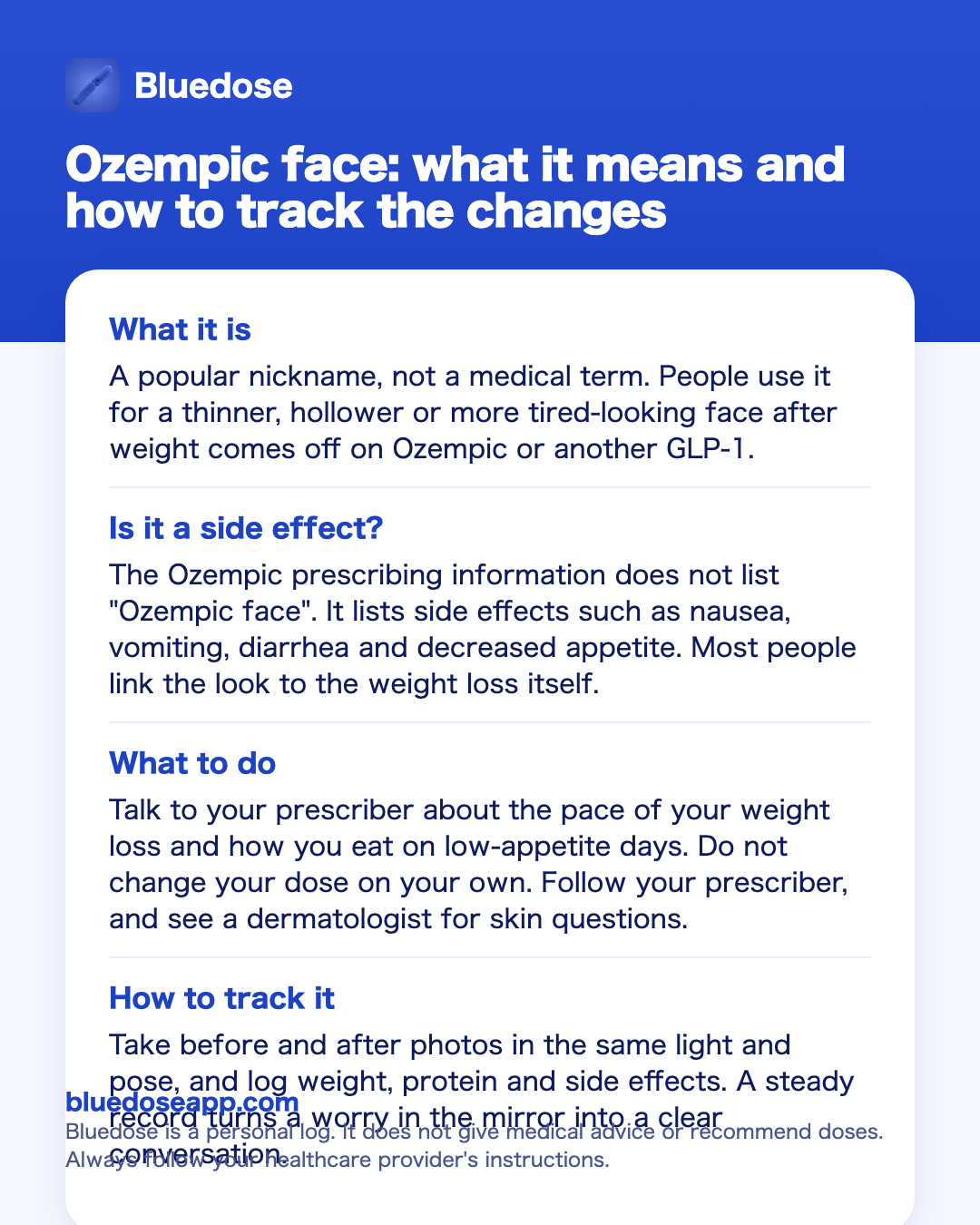
- What it isA popular nickname, not a medical term. People use it for a thinner, hollower or more tired-looking face after weight comes off on Ozempic or another GLP-1.
- Is it a side effect?The Ozempic prescribing information does not list "Ozempic face". It lists side effects such as nausea, vomiting, diarrhea and decreased appetite. Most people link the look to the weight loss itself.
- What to doTalk to your prescriber about the pace of your weight loss and how you eat on low-appetite days. Do not change your dose on your own. Follow your prescriber, and see a dermatologist for skin questions.
- How to track itTake before and after photos in the same light and pose, and log weight, protein and side effects. A steady record turns a worry in the mirror into a clear conversation.
Best overall: Bluedose
Bluedose keeps the numbers behind your before and after photos in one place: weight trends, daily protein with a one-tap add, every shot and dose, and side effect check-ins with notes. When your face starts to look different, you will see what changed and when, and you can bring that to your prescriber. It has no account, no ads and no tracking, and your data stays on your iPhone and in your own private iCloud.
Free on the App StoreWhat Ozempic face means, and what it does not
Ozempic face is internet slang. It started as a way to describe faces that look thinner, more hollow or older after weight loss on semaglutide. The name stuck, and people now use it for any GLP-1, including Wegovy, Mounjaro and Zepbound.
Three things are worth knowing up front:
- It is not a label term. You will not find "Ozempic face" in the Ozempic or Wegovy prescribing information. The labels list side effects such as nausea, diarrhea, vomiting, constipation, stomach pain, indigestion and decreased appetite.
- It is not a separate condition. The face is part of the body. When weight comes off, some of it comes off the face too.
- It looks different on everyone. Faces differ, and so does how much weight each person loses and how fast.
So the question "Do I have Ozempic face?" is really two questions. Is my weight loss going the way my prescriber expects? And am I comfortable with how my face looks? The first is medical, and your prescriber is the right person to answer it. The second is personal. If it is about your skin, a dermatologist is the right person to talk to.
If you want the full picture of what the label does cover, read our guide to Ozempic side effects. It lists the common effects and the serious ones that need medical help.
Why people link it to fast weight loss
Most stories about Ozempic face share one detail: the weight came off quickly. A face that changes slowly over many months is easy to get used to. A face that changes over a few weeks is easy to notice, both for you and for friends who have not seen you in a while.
GLP-1 medicines also change how you eat. The prescribing information lists decreased appetite among the most common side effects, along with nausea, vomiting and diarrhea. These effects are usually most common when you start or after a dose increase. On those days it is easy to eat very little without noticing, and to eat less protein than you planned.
There is no product or trick in the prescribing information for Ozempic face. What you control is the record. A clear record answers the questions your prescriber will ask:
- How fast is your weight changing from week to week?
- Are you eating enough, and enough protein, on low-appetite days?
- Are side effects like vomiting or diarrhea making it hard to eat or drink?
- Did the change start after a dose step?
None of these questions has one right answer for everyone. Your prescriber will look at your numbers and decide what fits you. Your part is to bring the numbers. A GLP-1 weight loss tracker that shows weight next to your shot history makes that simple, because you can see each dose step and the weight change that followed on the same timeline.
Ozempic face before and after: how to compare fairly
Photos are the reason most people search for Ozempic face. A before and after picture shows a change that a scale does not. It also exaggerates changes if the two photos are taken differently. A few habits make your comparison fair:
- Same spot, same light. Stand in the same place, facing the same window or lamp. Overhead light deepens shadows under the cheeks and eyes.
- Same time of day. Morning and evening photos look different, even on the same day.
- Same pose and distance. Neutral face, no smile, camera at eye level, same distance from the lens. Front and side views both help.
- No filters. Turn off beauty modes and portrait effects.
- A set schedule. Pick one day, such as your shot day, and take the photo every two or four weeks. Daily photos will make you notice every shadow.
Then pair each photo with numbers. A photo alone tells you that something changed. Your log tells you what was going on at the time: your weight, your dose, how much protein you ate that week, and whether you had a rough stretch of nausea. Keep the photos in a private album in your Photos app and keep the numbers in your tracker.
For more ideas on comparing your progress without being too hard on yourself, see GLP-1 before and after.
Protein, appetite and steady progress
When appetite drops, meals shrink, and protein is often the first thing to slip. Many people on GLP-1s find that a few bites of something easy fill them up for hours. That is the medicine doing what the label describes. It also means your protein will not take care of itself.
A simple routine works for most people:
- Ask for your number. Your prescriber or a dietitian will give you a daily protein goal that fits your body and your health. Do not copy a number from social media.
- Log it as you go. Add protein after each meal or snack, not at the end of the day from memory.
- Watch the low days. Look for patterns, such as protein falling on the day after your shot or after a dose step.
- Pair it with weight. A steady weight trend with steady protein looks very different from a sharp drop on very little food.
In Bluedose you add protein with one tap and watch your daily goal fill up. Your protein then shows on the same trends screen as your weight and food noise, so you can see all three over weeks and months. Read more about protein on GLP-1, or see how the protein tracker works.
If you are not sure what to put on your plate when nothing sounds good, our guide on what to eat on ozempic covers easy, gentle options.
What to bring up with your prescriber
If your face is changing faster than you expected, tell your prescriber. Do not lower, skip or change your dose on your own. Follow your prescriber.
It helps to know the label schedule before the visit. For Ozempic, the prescribing information starts at 0.25 mg once weekly for 4 weeks, then 0.5 mg. The dose may be increased to 1 mg after at least 4 weeks, then to 2 mg after at least 4 weeks, with 2 mg as the maximum. The ozempic dosage chart lays this out step by step. Your own schedule is whatever your prescriber set.
Bring these to the appointment:
- Your weight trend, not just today's number.
- Your dose history, with the dates of each step.
- Your protein log and a note on typical meals.
- Side effects, with dates and how long they lasted. A side effect tracker makes this quick, and these side effect notes for your doctor show what to include.
- Your photos, if you are comfortable sharing them.
Some side effects need medical help right away, whatever your face looks like. The labels list severe stomach pain that may reach the back (a possible sign of pancreatitis), gallbladder problems, kidney problems from dehydration, low blood sugar (especially with insulin or sulfonylureas) and serious allergic reactions. If vomiting or diarrhea keeps you from drinking enough, call your prescriber.
For questions about skin, ask your prescriber for a dermatologist referral. They are the right people to talk to about cosmetic options.
Not only Ozempic: Wegovy, Mounjaro and Zepbound
The nickname says Ozempic, but the look follows weight loss, not a brand. People use the term for all GLP-1 pens.
- Wegovy contains semaglutide, like Ozempic. The label steps up every 4 weeks: 0.25 mg, 0.5 mg, 1 mg, 1.7 mg, then 2.4 mg once weekly from week 17, with 1.7 mg allowed as maintenance if 2.4 mg is not tolerated. A higher 7.2 mg option exists in some countries; ask your prescriber.
- Mounjaro and Zepbound contain tirzepatide. The label starts at 2.5 mg once weekly for 4 weeks, then increases in 2.5 mg steps after at least 4 weeks on the current dose, up to a maximum of 15 mg once weekly. 2.5 mg is a starting dose, not a maintenance dose.
These medicines stay in the body for a while. Semaglutide has a half-life of about one week and takes about five weeks to clear. Tirzepatide has a half-life of about five days and is mostly gone about 30 days after the last dose. If you and your prescriber decide to change your plan, appetite effects will fade gradually, not overnight. Read more in how long does ozempic stay in your system.
Whatever pen you use, the tracking advice is the same: photos on a schedule, weight as a trend, protein every day, and side effects written down when they happen.
Ways to track face and weight changes
You do not need a special app to watch for Ozempic face. Here is how a photos and notes setup, a spreadsheet and Bluedose compare for the things worth tracking.
| What you want to track | Photos + notes app | Spreadsheet | Bluedose |
|---|---|---|---|
| Before and after photos | Yes, in your Photos app | Not a good fit; link to photos | Keep photos in your Photos app alongside it |
| Weight over time | Typed notes, no chart | Yes, if you build a chart | Weight trend over time |
| Daily protein | Possible, but slow to add up | Yes, with daily rows and formulas | One-tap add; daily goal fills up |
| Shot, dose and time | Typed by hand | Manual columns | Logged in a tap; full shot history |
| Side effects and food noise | Free-text notes | Columns you set up | Check-ins with notes; food noise trend |
| Injection site | Typed by hand | Typed by hand | Body map; remembers rotation and suggests the next site |
| Reminders | Separate calendar alert | None built in | Reminder at your chosen time; Lock Screen card on shot day |
| Questions about your own data | Scroll and read | Write formulas | Ask, with Apple Intelligence on supported iPhones |
| Privacy | Depends on your notes settings | Depends on where the file lives | No account, no ads, no tracking; data on iPhone and your private iCloud |
| Devices | Any phone | Any device | iPhone only (iOS 18+) |
| Cost | Free | Free | Free on the App Store |
When photos and notes are enough
For many people, the free tools already on the phone are enough. If you take a photo every few weeks, write your weight in a notes file on shot day, and add a line when something feels off, you have a usable record. A calendar alert covers the weekly shot. A paper log on the fridge works too.
This setup works best when:
- Your weight is changing at a pace you and your prescriber are comfortable with.
- Your appetite is low but you are still eating regular meals.
- Side effects are mild and short.
- You only need a rough picture for your next appointment.
The limits show up over time. Notes do not draw a trend line. Protein is hard to add up by hand every day. It is easy to forget which week you stepped up a dose, and harder still to line that date up with a photo or a rough week of nausea. When you want to see how these things connect, a notes file starts to feel thin.
When you need more than a notes file
- Your face or weight is changing faster than expected and you want to see the weekly trend, not scattered numbers.
- You struggle to eat enough protein on low-appetite days and want a daily goal you can watch fill up.
- You want your dose steps, weight, protein and side effects on one timeline to show your prescriber.
- You want to ask simple questions about your own logs, such as whether your food noise is changing, without scrolling through months of notes.
- You want all of this private, with no account and no ads.
How to start tracking with Bluedose
Install and set your schedule
Download Bluedose: GLP-1 Tracker on your iPhone. Choose your medicine (Ozempic, Wegovy, Mounjaro, Zepbound or compounded semaglutide or tirzepatide) and your schedule, such as weekly, and set a reminder for the time you choose.
Log your next shot
On shot day, tap Log Shot on the Lock Screen card or in the app. Enter the dose your prescriber gave you, then tap the spot on the body map where you injected so Bluedose can suggest the next site.
Add weight and protein
Log your weight on a set day each week. Set the daily protein goal your prescriber or dietitian gave you, then add protein with one tap after each meal.
Check in and review before visits
Use check-ins to note food noise and side effects as they happen. Before an appointment, open Trends to see weight, protein and food noise over time, and take your photos and shot history with you.
FAQ
Is Ozempic face a real side effect?
It is a real thing people notice, but it is not a named side effect. The Ozempic prescribing information does not use the term. It lists side effects such as nausea, vomiting, diarrhea, constipation, stomach pain and decreased appetite. Most people use "Ozempic face" to describe how weight loss shows in the face.
What does Ozempic face before and after usually look like?
People describe the "after" face as thinner, more hollow or more tired than the "before" face. It looks different on everyone. For a fair comparison, take photos in the same spot, light and pose, on a set day, and keep them next to your weight and dose history.
Does Ozempic face happen on Wegovy, Mounjaro or Zepbound too?
The nickname comes from Ozempic, but people use it for any GLP-1 medicine that leads to weight loss. Wegovy contains the same medicine as Ozempic (semaglutide). Mounjaro and Zepbound contain tirzepatide. The face changes with weight loss, whichever pen you use.
Can eating more protein prevent Ozempic face?
No prescribing information promises that. Protein still matters because the labels list decreased appetite as a common side effect, and it is easy to eat less than you mean to on low-appetite days. Ask your prescriber or a dietitian for a daily protein goal, then log it so you can see whether you meet it.
Should I lower my dose if I notice Ozempic face?
Do not change your dose on your own. Follow your prescriber. Bring your weight trend, your dose history and any side effects to the appointment, and ask about the pace of your weight loss. Your prescriber will decide what fits you.
Will my face go back to how it was if I stop?
The prescribing information does not cover this, so ask your prescriber, and a dermatologist for skin questions. Keep in mind that semaglutide has a half-life of about one week and takes about five weeks to clear, so its effects on appetite will not stop overnight.
Can Bluedose tell me if I am losing weight too fast?
No. Bluedose is a personal log. It does not give medical advice and does not recommend or calculate doses. It shows your weight, protein and food noise trends over time and your full shot history, so you and your prescriber can see the pace clearly.
The bottom line
Ozempic face is a nickname for how weight loss shows in the face, not a side effect in the prescribing information. It tends to stand out when weight comes off quickly and appetite is low. You cannot read your future in a mirror, but you can keep a fair record: photos on a schedule, weight as a trend, protein every day and side effects written down. Then talk to your prescriber about the pace, and to a dermatologist about your skin. Do not change your dose on your own; follow your prescriber.
A phone camera and a notes app will cover this for many people. If you want your shots, weight, protein and check-ins on one private timeline, Bluedose does that without an account. This is general information, not medical advice.
Sources
- Ozempic prescribing information
- Wegovy prescribing information
- Mounjaro prescribing information
- Mayo Clinic, semaglutide proper use
- Lilly: how long tirzepatide stays in the body
Save this guide
Keep the key points as an image on your phone.
See your progress clearly, week by week
Log your shots, weight, protein and side effects in one private place with Bluedose, free on the App Store.
Free on the App Store